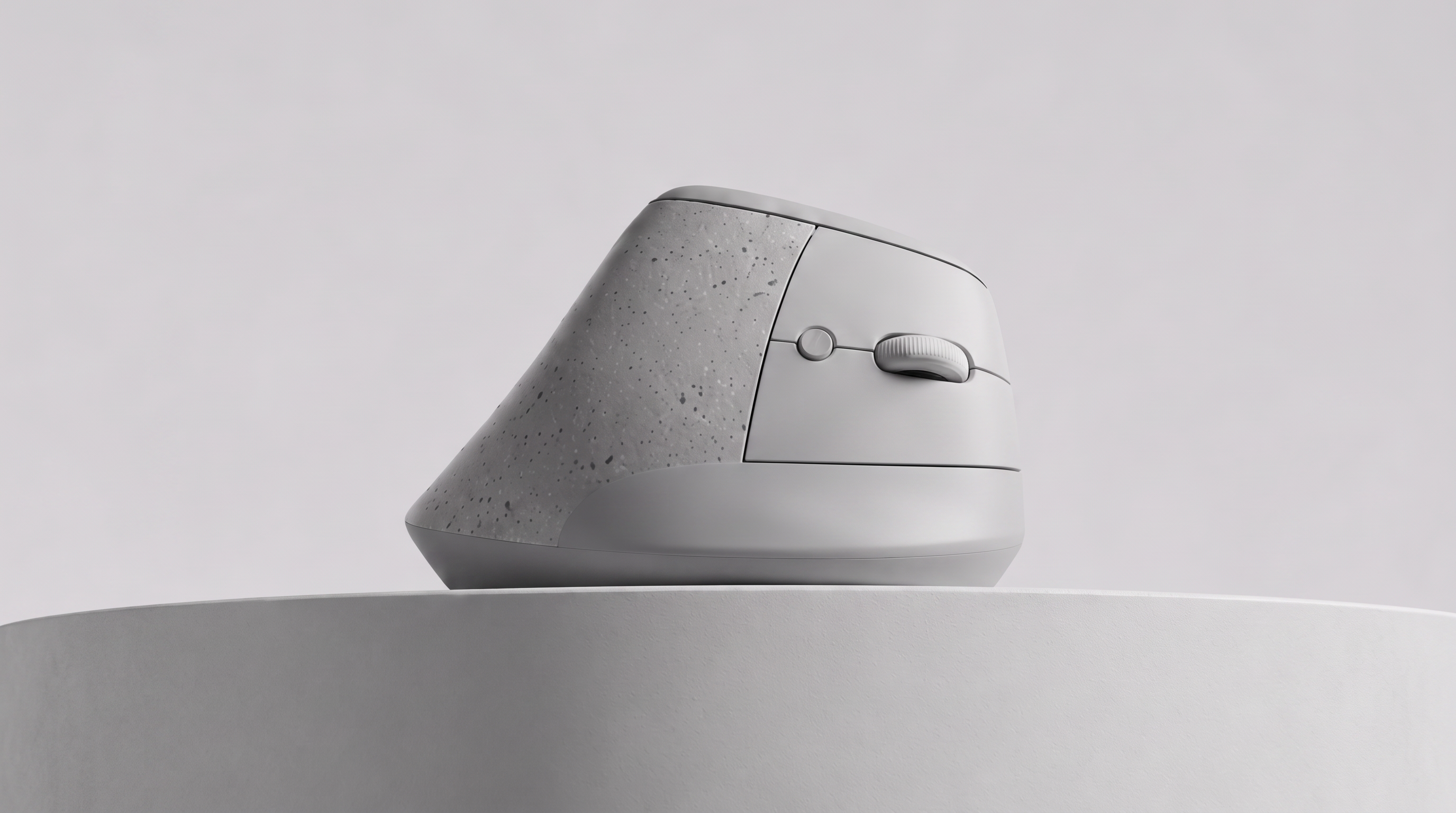
A vertical mouse for creative professionals, with an analog trackpoint control built into it — so controls sucha as pan, adjust and orbit can be driven without modifier keys for ease of control.
Professional creative software is controlled through complexity. Photoshop, Blender, CAD packages and their neighbours all expect the user to hold a dense set of hotkeys, modifier combinations and mode switches in their head — and to keep a hand parked on the keyboard to reach them.
The result is that the most continuous, most frequently repeated actions in these programs — pan, zoom, orbit — are driven by discrete key presses held down alongside mouse movement, rather than by anything that behaves like the motion itself. Every one of them pulls a hand away from the mouse or locks it into an awkward combined grip.
Pebble proposes a second, analog control surface on the mouse itself. A trackpoint sensor sits within reach of the thumb or index finger, giving a pressure-sensitive, proportional input that can be mapped per-application: orbit in a 3D viewport, pan on a canvas, scrub a timeline, or drive whichever continuous parameter the software puts front and centre — without the hand ever leaving the device.
THIS PAGE IS AN ACTIVE WORK IN PROGRESS — SECTIONS BELOW ARE BEING FILLED IN.
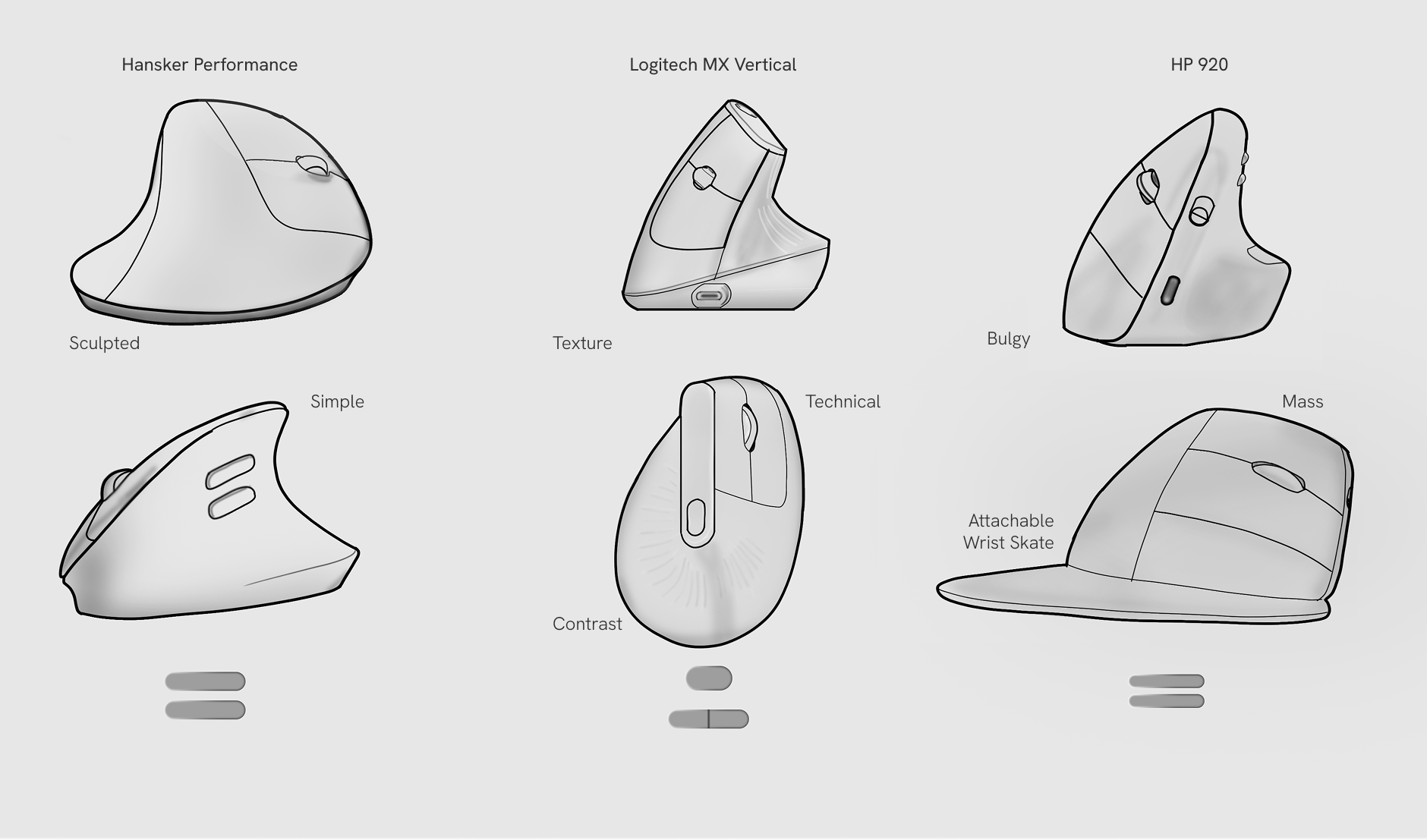
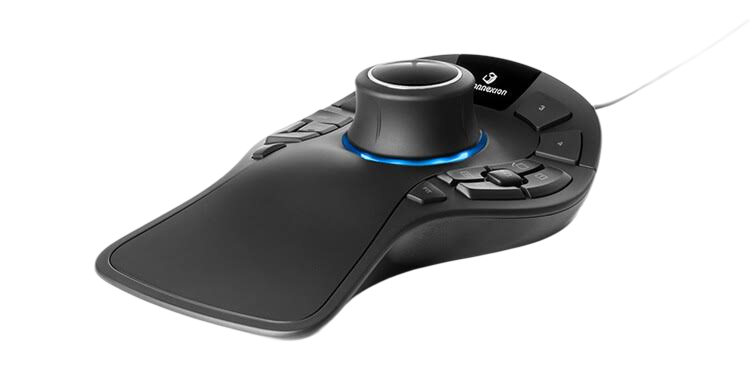
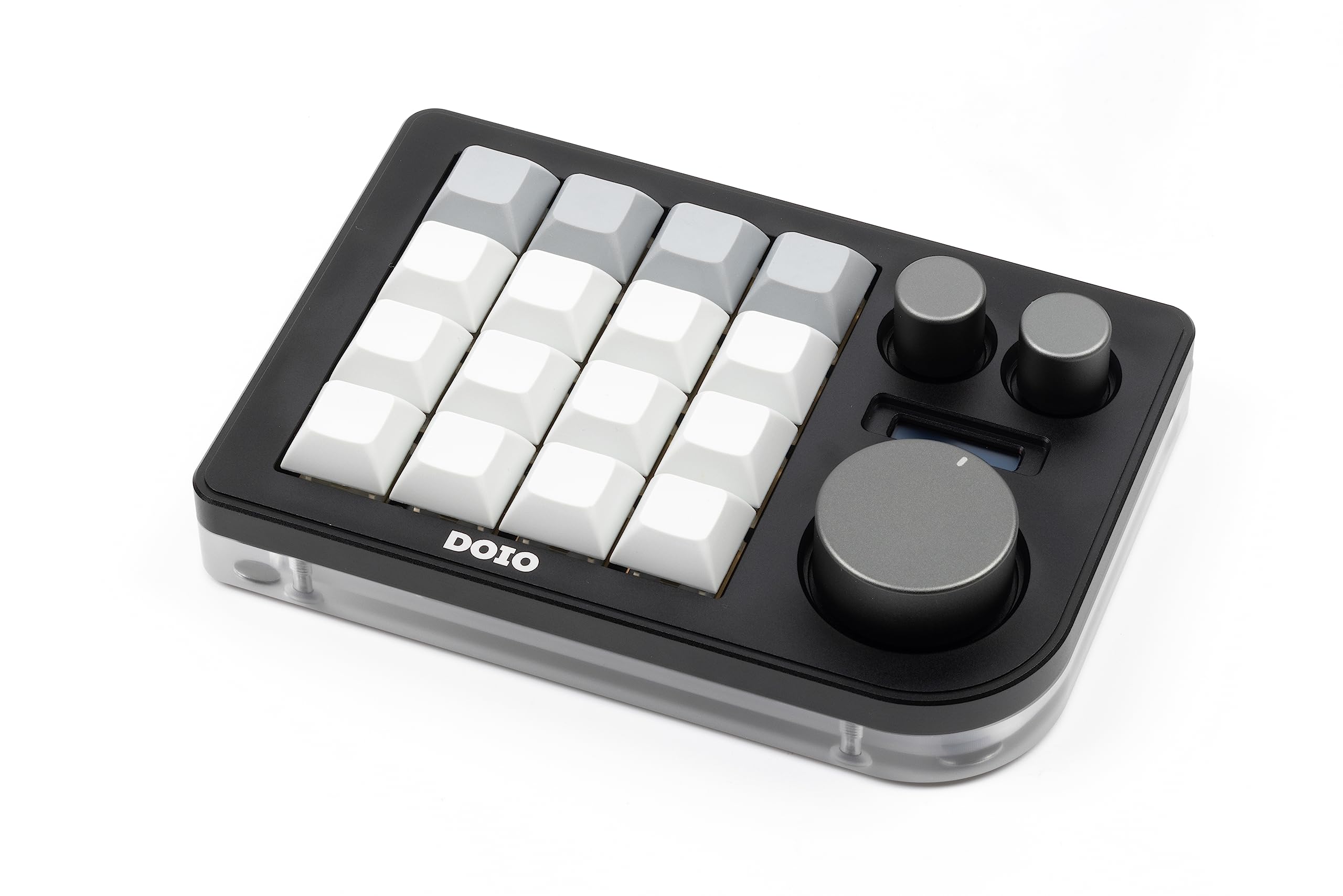
Two camps of products were reviewed for the concept development: ergonomic mice that fix the wrist strain issue but keep the same button vocabulary - even with the additional space on the thumb resting area - and dedicated controllers that add real analog input but sit as an additional object on the desk, occupying space and a hand during use.
What are current devices strong and weak points at tackling the problem of hotkey dependency and control ergonomics.
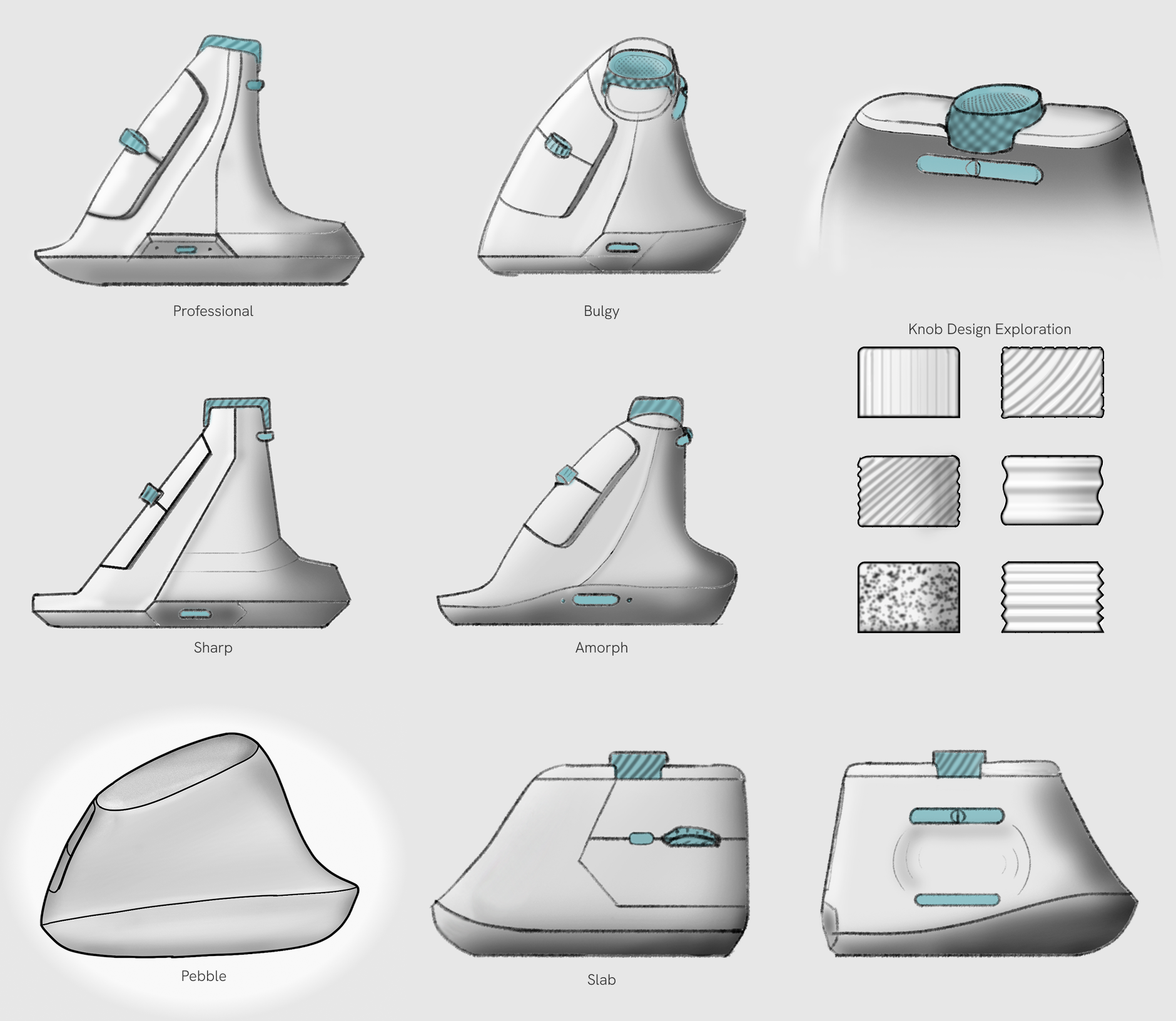
Eight directions were pushed against each other on form character alone — Professional, Bulgy, Sharp and Amorph among them — alongside a separate pass at the trackpoint knob itself, testing grip texture from ribbed to knurled to stippled. Pebble was chosen out of this set for the cleanest, most singular silhouette of the group.
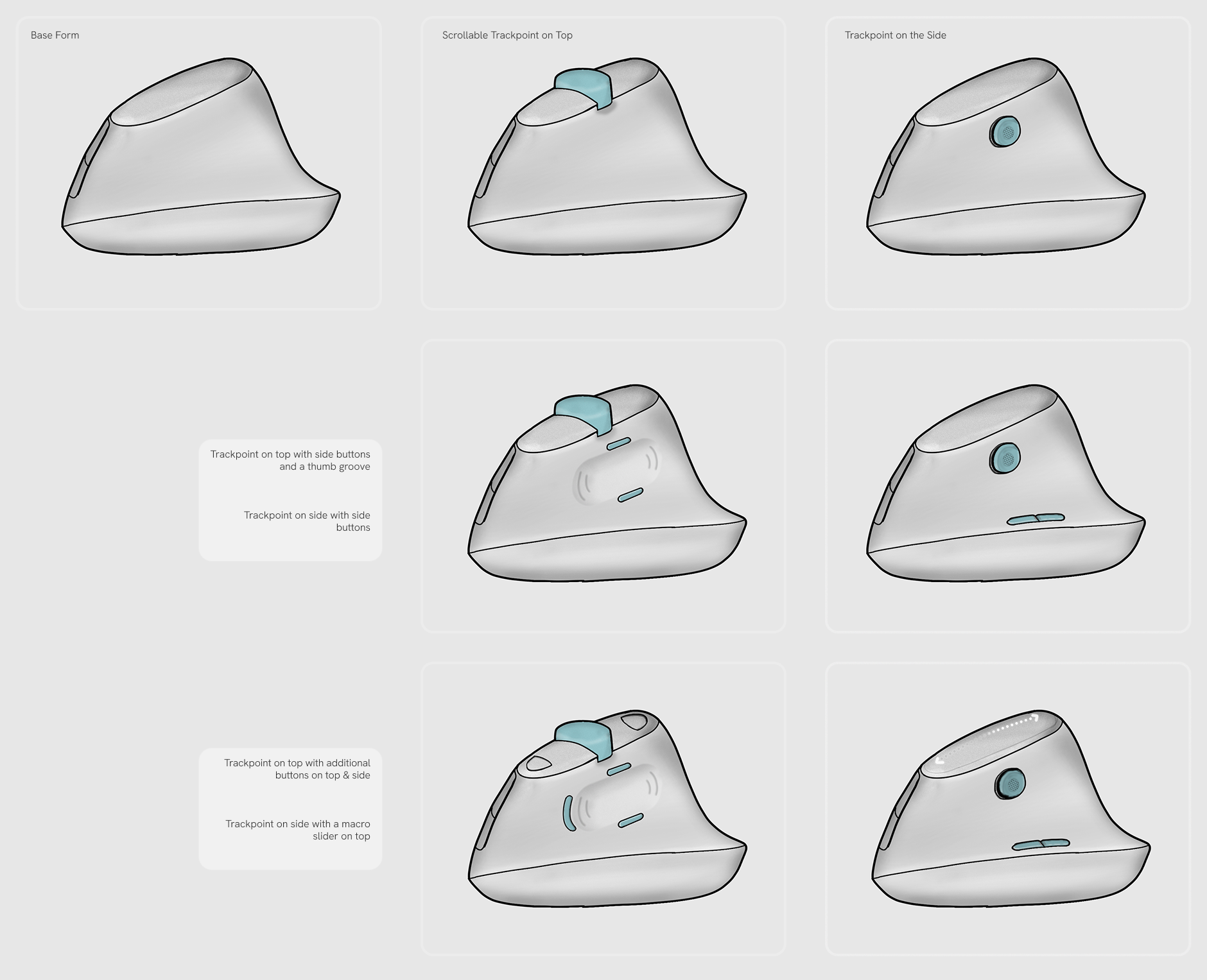
With the Pebble silhouette settled, the next question was where the trackpoint actually goes. Two positions were taken forward — on top, under the index finger, and on the side, under the thumb — and each was then loaded with progressively more control: a bare trackpoint first, then side buttons and a thumb groove, then a full set with additional top buttons or a macro slider. Laying them out against a common base form kept the comparison about placement rather than about shape.
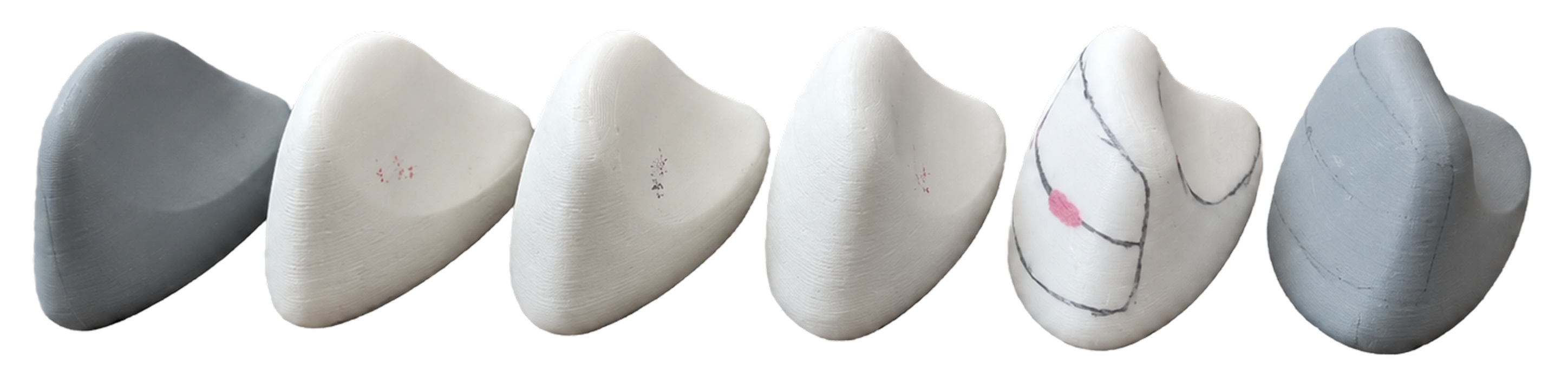
Sketches could not answer where a thumb actually comes to rest, so the forms were taken into foam and 3D-printed models and put in front of users. Each model varied the body shape, and testing tracked where the thumb naturally landed on it, marking the contact point directly on the model. Beyond the resting position, the models were there to hear what people felt about each form in the hand — which read as comfortable, which felt bulky, which invited a grip — and to collect direct feedback on where buttons and the trackpoint should sit on the bodies they preferred.